Urba vs. Showpass Professional
Sell a $20 ticket with a $1.19 Urba service fee. Text your door crew a scanner link. With a qualifying promoter plan, book posts on Urba’s city accounts, part of a network with 1.3M+ combined followers in Canada.
Create an event on UrbaUrba’s comparison · Reviewed · Online CAD admissions
General admission · CAD
Service fee per ticket
- Urba Standard
- $1.19
- Showpass Professional
- $2.19
Before processing and taxes
Where Urba gives you an edge
Text a link to the door crew
Volunteers open the scanner in their phone browser. Showpass asks each phone operator to install its app and sign in.
See the scannerBook the city pages fans follow
Urba’s social accounts have 1.3M+ combined followers in Canada. Qualifying promoters can book local posts. Showpass matches briefs with independent creators.
See campaign results$100 less on 100 tickets
At $20 per admission, Urba charges $1.19 in service fees and Showpass Professional charges $2.19. Processing and tax are separate.
Try your ticket price
Compare organizer features
Explore Urba’s local audienceUrba advantages
| Feature | Urba | Showpass Professional |
|---|---|---|
| Split each added fee between collaborators | Included | Separate step |
| Choose each partner’s share of organizer-paid fees | Included | Separate step |
| Calculate each partner’s share of ticket revenue | Included | Separate step |
| Auto-fill ticket sales in an event profit & loss statement | Included | Separate step |
| Scan by phone without an app | Included | Unavailable |
| Use a scan link without a staff login | Included | Unavailable |
| Book posts on Urba’s city accounts with a qualifying promoter plan | Included | Unavailable |
How the finance tools compare
Partner agreements. On eligible Urba events, partners can agree on a percentage for each added fee and a separate split for organizer-paid selling costs. For example, the venue can keep its facility fee while two partners share organizer-paid fees equally. Bank transfers depend on settlement eligibility.
Profit and loss. Urba brings ticket sales, fees you cover, refunds and planned partner shares into the event budget. Add outside income and expenses to see profit and margin. Print the statement or export a CSV.
Showpass Professional. Set seller commissions and report fees by transaction. The Event Audit report supports promoter settlement. In that workflow, partner fee allocations and a budget including outside income and costs are separate calculations. Reporting guide · Fees and commissions
Built-in bottle service
| Booking step | UrbaBottle package | Showpass ProfessionalTable booking example |
|---|---|---|
| Set minimum and deposit together | Built in | Staff handles it |
| Calculate the balance automatically | Built in | Staff handles it |
| Take a VIP table deposit | Built in | Built in |
How the bookings work
Urba. On an eligible event, set a $500 minimum and a $100 deposit. Urba shows $400 remaining on the receipt and issues the included admission tickets. Staff collect the venue payment and can record it on the booking. See the package example
Showpass. In this booking, a deposit reserves the table. The hospitality team contacts the buyer for guest details and arranges the remaining payment. See the CSI Greenwich tables
Promoter sales & event finances
Urba calculates a promoter’s commission from eligible tickets sold with their code.
| Feature | Urba | Showpass Professional |
|---|---|---|
| Calculate commission per ticket sold by a promoter | Included | Included |
| Attribute sales to a promoter’s code or link | Included | Included |
| Track payout status | Included | Included |
| Export event sales reports | Included | Included |
| Pass checkout fees to buyers or absorb them | Included | Included |
Get your door crew scanning
Open the scanner link and allow camera access. Load the ticket list before doors open to keep scanning offline.
See the scanner| Feature | Urba | Showpass Professional |
|---|---|---|
| Scan offline after online setup | Included | Included |
| Scan QR tickets at the door | Included | Included |
| Manage a guest list | Included | Included |
Grow with Urba’s 1.3M+ follower network in Canada
Standard listings can appear in Urba’s city feed. A promoter partnership gets your show onto the local social pages included in your plan.
Explore Calgary’s feed2,722 Google Search clicks across 53 Urba event pages · Oct 19 to Nov 15, 2026.
| Feature | Urba | Showpass Professional |
|---|---|---|
| List a show in a public event directory | Included | Included |
| Email your ticket buyers | Included | Included |

1.3M+followers across Urba’s Canadian social accounts
Taking a show from Calgary to Vancouver? A qualifying promoter plan lets you book a post on each city’s Urba page.
Book a campaign today in
As Urba opens pages in more cities, talk to us about adding those markets to your next tour.
Explore promoter partnerships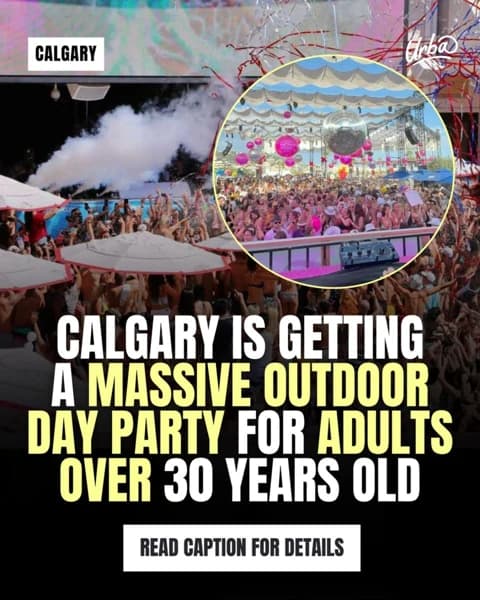
30+ Day Party at Bleu Dayclub
- accounts reached
- 288,675
- shares
- 17,323
Seating & waitlists
Offer a floor plan for table selection or collect names when an event sells out.
| Feature | Urba | Showpass Professional |
|---|---|---|
| Place tables on a floor plan | Included | Included |
| Collect signups when tickets sell out | Included | Included |
| Join a waitlist for a specific seating section | Unavailable | Included |
Ticket sales & event setup
Release early-bird tickets first, unlock a private tier with a code or offer a group price.
Where does the guest pay?
Urba. Guests can buy admission or choose a VIP booth from your floor plan and pay the deposit on your website. They see included tickets, fees, and the minimum due at the venue before paying. Assigned-seat tickets and waiting rooms open Urba checkout in the same tab.
Showpass Professional. Add its purchase and checkout widgets to your site. Guests add tickets to a basket, then pay through Showpass in a pop-up or an embedded form. Widget guide
| Feature | Urba | Showpass Professional |
|---|---|---|
| Set early bird, regular and VIP prices | Included | Included |
| Unlock private tickets with a code | Included | Included |
| Offer a group ticket price | Included | Included |
| Let buyers pick seats on a map | Included | Included |
| Let guests select tickets on your website | Included | Included |
| Take general admission card payments on your website | Included | Included |
Sources and details
Reviewed November 24, 2026. The checks cover the listed plans and documented workflows. A spreadsheet, outside app or manual calculation counts as a separate step. The scanner rows compare volunteers using their own phone cameras. Showpass uses its app and a staff login for phone scanning and offers creator matching by brief. Urba’s waitlist covers the whole event. VIP packages depend on event eligibility. Offline scanning requires online setup first.
Showpass Professional
- Organizer fees and seller commissions
- Promoter and settlement reports
- Payout schedule
- Sales and settlement reports
- Embedded checkout
- Email ticket buyers
- Automatic group discounts
- Ticket releases
- Discount codes
- Employee sales links
- Seating maps and whole tables
- Phone scanner setup
- VIP table deposit example
- Creator partnerships
- Professional features
- Event editor and discovery
- Door and offline check-in
- Guest lists
Plan for checkout and payday
Standard online pricing. Negotiated terms may differ.
Card processing
Urba uses Stripe at 2.9% + $0.30 per transaction. Showpass lists 2.9% + $0.30 per paid item. Applicable taxes are additional.
Showpass Professional pricingPayout timing
Urba’s dashboard shows eligible earnings, reserves and scheduled bank payouts. Showpass normally generates payouts the Monday after the event and initiates deposit the next business day. Bank timing and holds can affect arrival.
When Showpass fits
Both platforms let guests pay for general admission on your website. If you need a separate waitlist for each seating section, Showpass offers that option. Urba keeps one waitlist for the event.